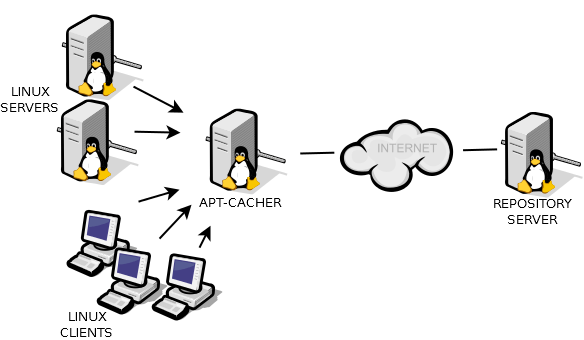
 When dealing with lots of Debian installs (or a Debian network), using a package proxy can save you a lot of bandwidth and time. Apt-cacher is a nice little feature that will store your packages. So every time you download the same package on a different machine (or same, or any) it will get it from your local proxy instead of the internet. Here is how you enable it.
apt-get install apt-cacher
Check your allowed_hosts configuration in /etc/apt-cacher/apt-cacher.conf
A * allow everything. More info is in the config file.
service apt-cacher restart to apply the changes in the config.
That’s it for the proxy. Now you need to change your “guests” to use the proxy.
vim /etc/apt/apt.conf
Acquire::http::Proxy “http://192.168.1.100:3142/apt-cacher/”;
And then run apt-get update
If you are doing a new install, enter this when asked for proxy:
http://192.168.1.100:3142/apt-cacher/
Happy installing!