Debian & Ubuntu – Recovering MySQL root password

sql-iconHaven’t needed to reset my MySQL root passwords yet, but I suspect someday….
On a Debian based system this is easy and also demonstrate the importance of restricting physical access to your server.

First run (sudo or root):
dpkg-reconfigure mysql-server-5.5
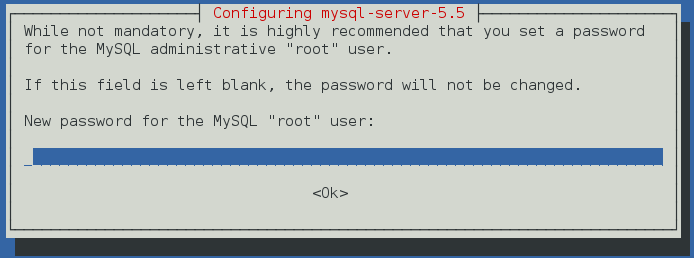
mysql-password

Then just type your new password and confirm it. The database will restart, and your MySQL now have a new root password.

Happy passwording!

Related Posts

A compact server with connected Ethernet cables and illuminated network ports in a dark server room.

Fix Debian 13’s 120-Second systemd-networkd Boot Delay

A boot pause close to two minutes can occur when systemd-networkd-wait-online.service cannot satisfy its definition of an online network. The systemd 257 documentation specifies a default timeout…

php8 gd

PHP8 gd Activate after installation

PHP8 GD activate after installation. GD doesn’t get activated by default. Not even a reboot after installation will activate it. So how do we do it? In…

Debian 12: linux-image-6.1.0-10amd64

Troubleshooting dependency issues in Debian 12: Resolving linux-image-6.1.0-10amd64 package dependency problems. If you installed the Debian 12 from the live image the issue is the raspi-firmware. Even…

mysql double vs float

MySQL: Double vs Float

When it comes to mysql double vs float to storing numbers with decimal places in a database, two of the most commonly used data types in MySQL…

OpenMediaVault default password

OpenMediaVault default password

OpenMediaVault default password is printed in the documentation. I did not see it the first time I installed it either. So I had to do some detective…

Debian change dns

Debian change DNS settings to a new DNS

Debian change DNS settings for speed improvement or privacy. It is really easy to do. So let us see how it’s done and get to it. The…

Leave a Reply